1 · Gmail — Watch Emails
Make watches a dedicated inbox for emails I forward (or that get sent from saved sources). Each new message triggers the scenario with the article URL, sender, and body in tow.
Case Study · Automation with Explanation · Make.com
A Make.com scenario that turns saved emails into a categorized, AI-summarized research library — no manual copy-paste, no tabs left open "for later."
Three modules in Make.com: Gmail → Google Gemini AI → Google Sheets. Each saved email flows through Gemini for summarization and categorization, then lands as a clean row in the reading list.
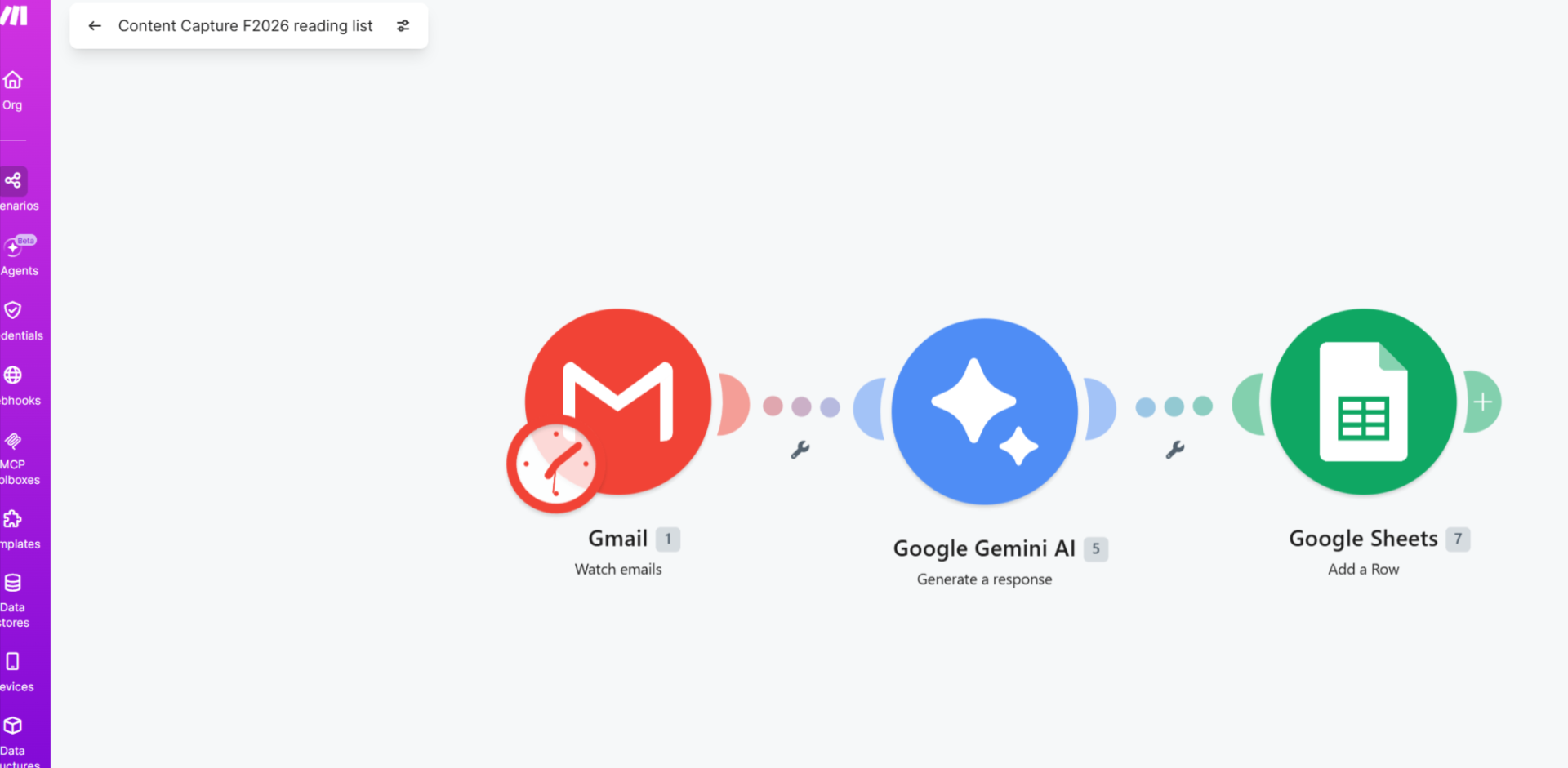
Make watches a dedicated inbox for emails I forward (or that get sent from saved sources). Each new message triggers the scenario with the article URL, sender, and body in tow.
Gemini reads the email + linked article and returns a clean payload: title, source, category (Business Trends, Menu, Tech, Other…), and a tight AI summary I can scan in a single line.
The structured output is appended to the F2026 Reading List sheet: Date saved, Title, URL, Source, Category, AI Summary. The sheet becomes a searchable, sortable research library.
The Google Sheet becomes the system of record: every saved article is timestamped, titled, sourced, categorized, and summarized — ready to filter by topic or skim before a strategy session.
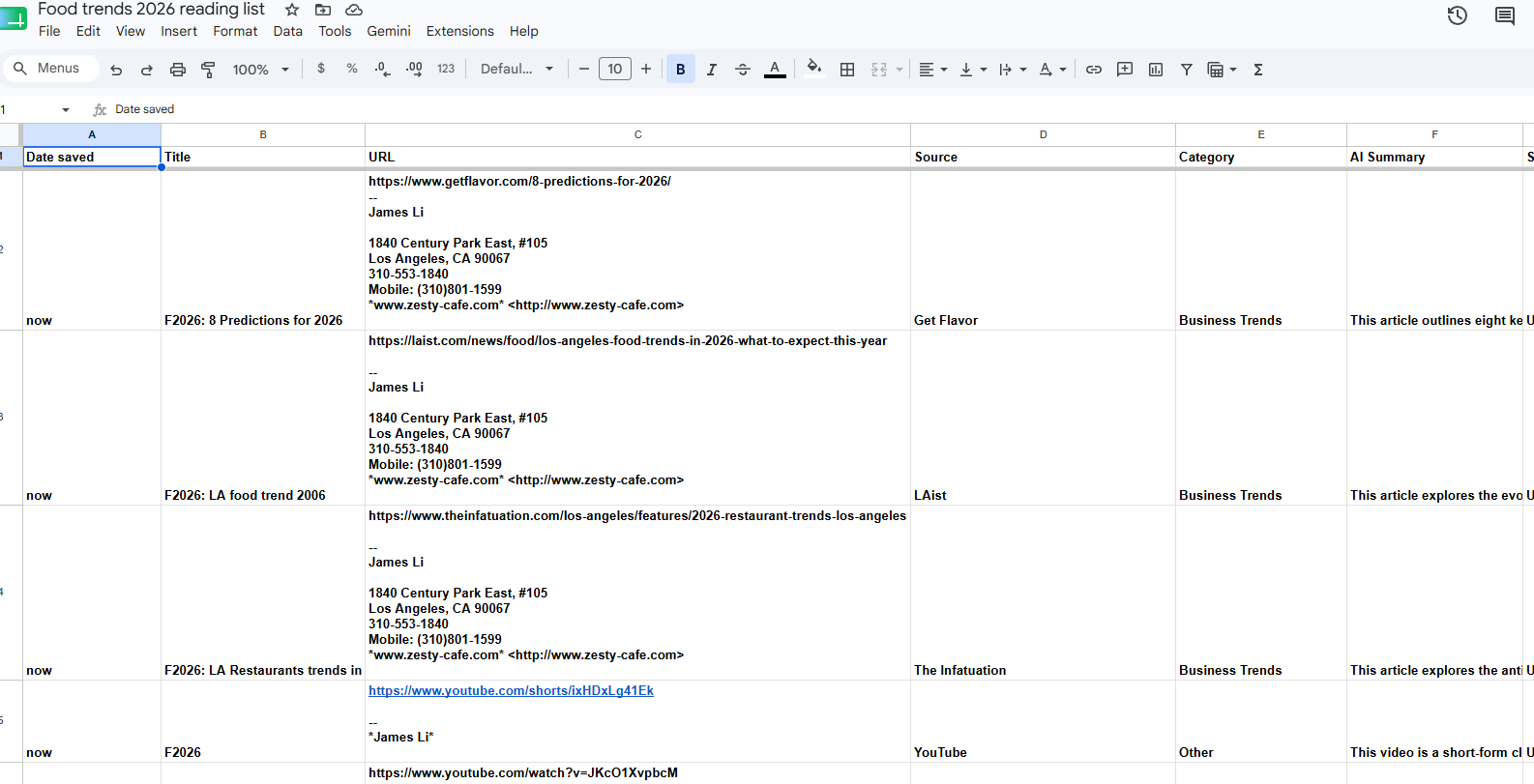
Three Make modules replace what's usually a tangle of bookmarks, Slack saves, and half-read tabs. The same pattern — inbox in, structured + summarized data out — works for competitor monitoring, press tracking, customer feedback, and internal knowledge capture.