1 · Chat Trigger
The workflow starts with n8n's native chat interface. A user types something like 'Office supplies $50 today' and the message kicks off the flow.
Case Study · Automation with Explanation
A chat-driven n8n automation that turns plain-English messages into clean, categorized rows in a Google Sheet — no forms, no manual entry.
Built in n8n: a chat trigger feeds an AI Agent (OpenAI) wired to a memory store and a Google Sheets tool. The agent decides when to log a row.
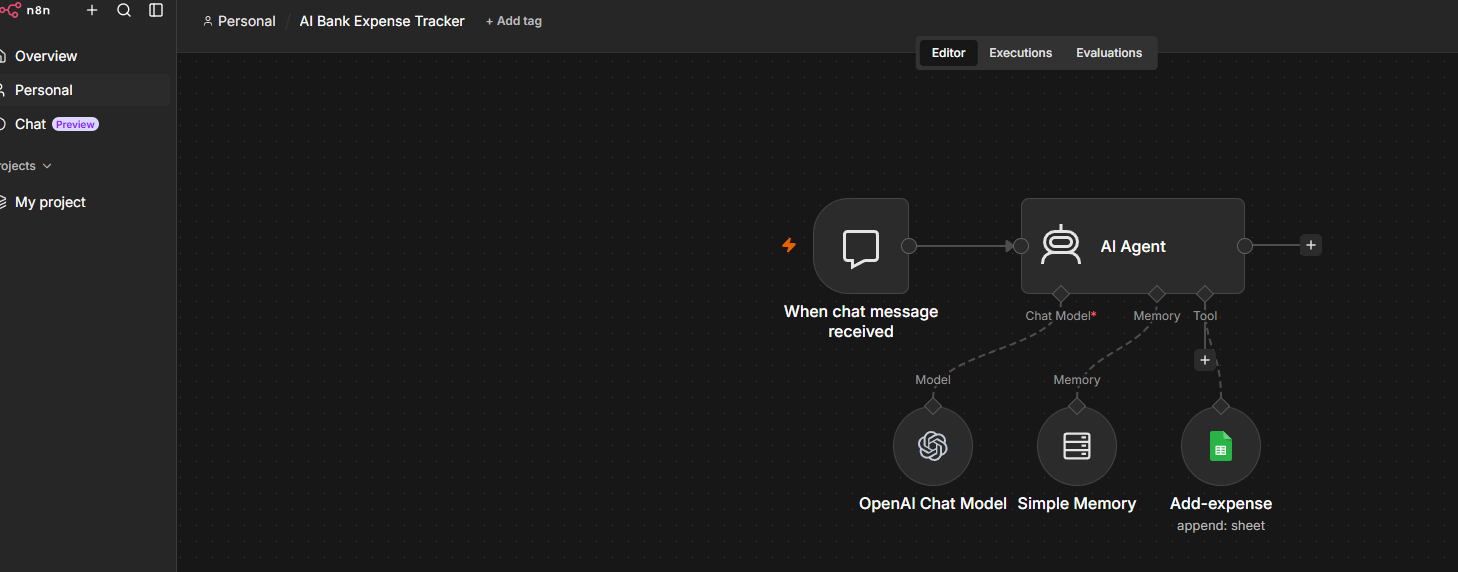
The workflow starts with n8n's native chat interface. A user types something like 'Office supplies $50 today' and the message kicks off the flow.
An AI Agent node powered by an OpenAI chat model parses the message: it extracts the expense name, amount, category, and date — and asks follow-up questions when fields are missing.
A memory node keeps short-term context across turns so the agent can hold a multi-message conversation (e.g., 'add it as Food/Supplies instead') without losing state.
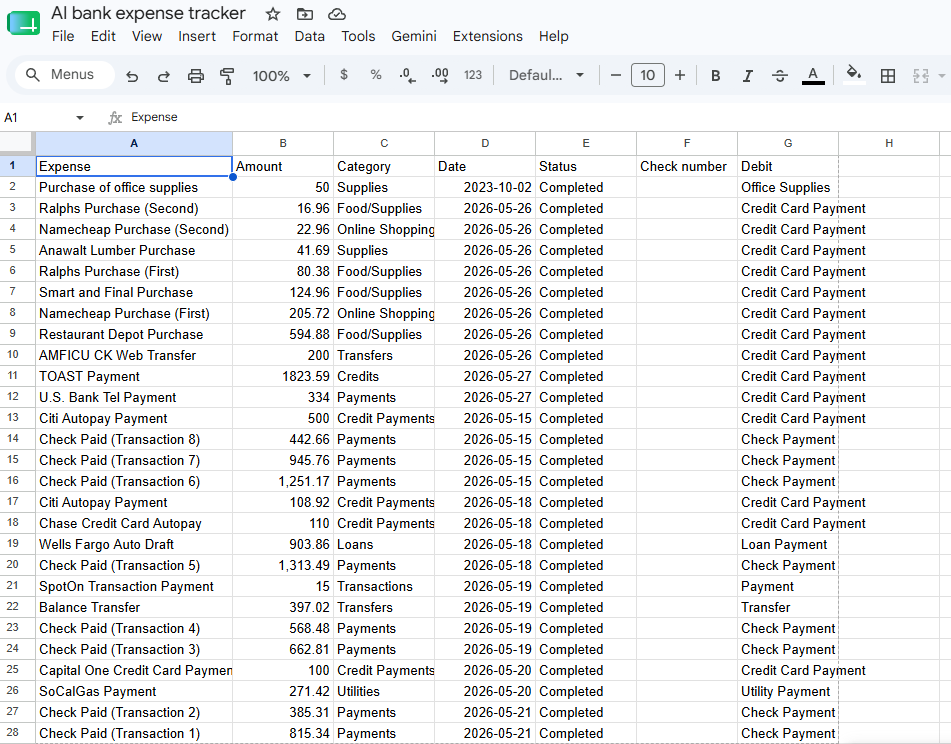
Once the agent has a clean record, it calls the 'Add-expense' tool which appends a new row to the AI Bank Expense Tracker sheet — Expense, Amount, Category, Date, Status, and payment type.
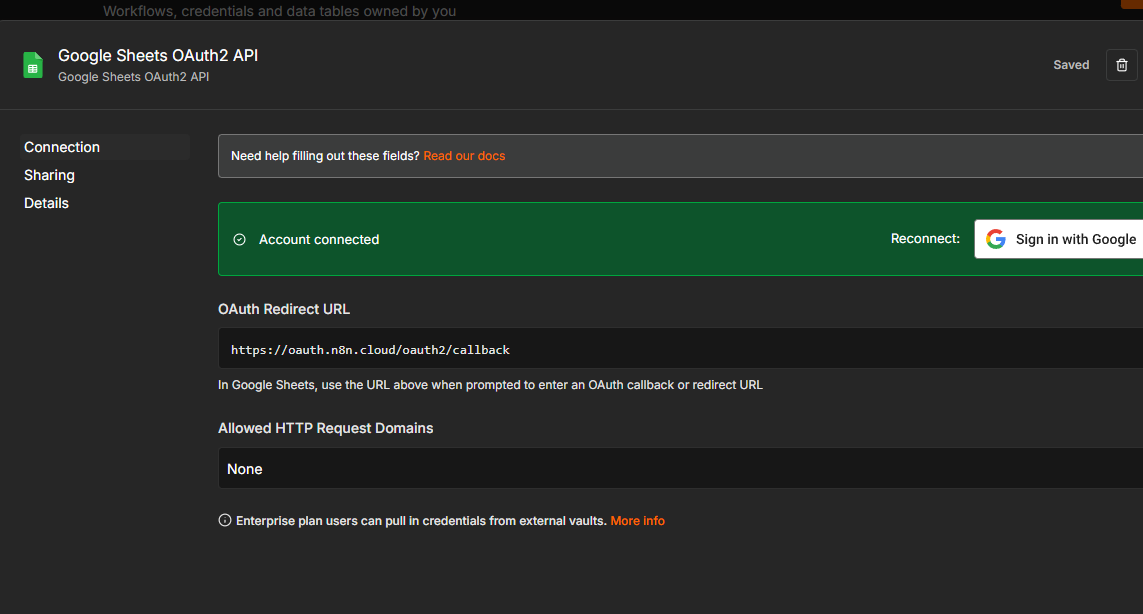
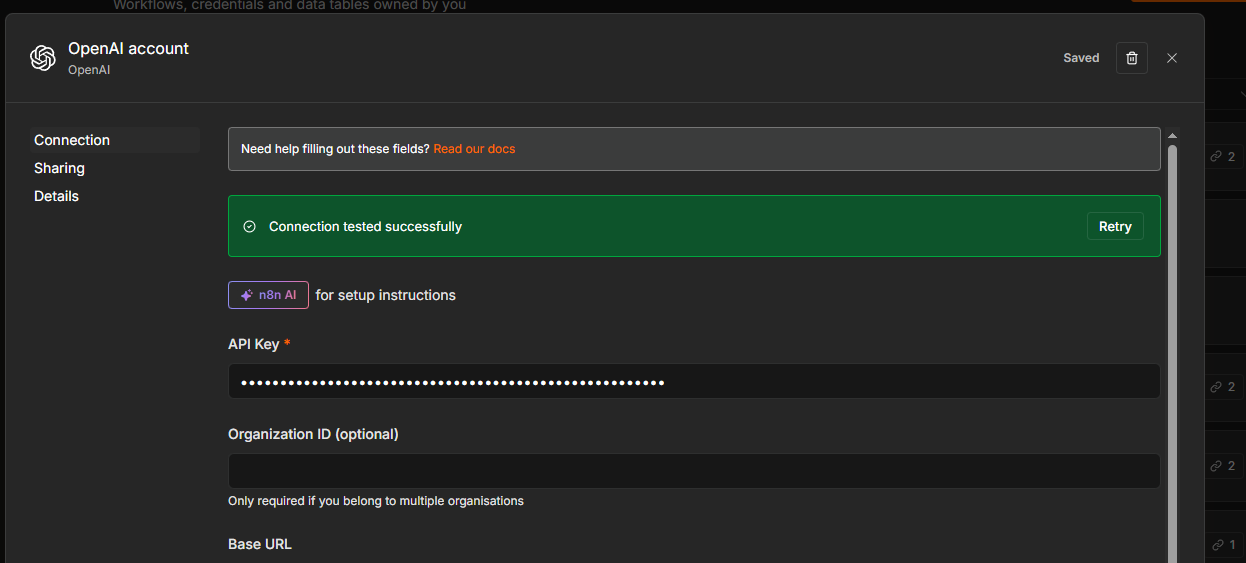
Two credentials power the automation: a Google Sheets OAuth2 connection so n8n can append rows on the user's behalf, and an OpenAI API key for the agent's reasoning model.
Every chat turn that resolves into a transaction lands as a row in the tracker — ready for pivoting, charting, or month-end review.
A 4-node automation replaces an entire mini-app: no front-end, no database, no custom backend. The AI Agent handles the messy human input, memory keeps the conversation coherent, and Google Sheets becomes the system of record. This pattern — chat in, structured data out — scales to invoices, CRM updates, support triage, and beyond.